en


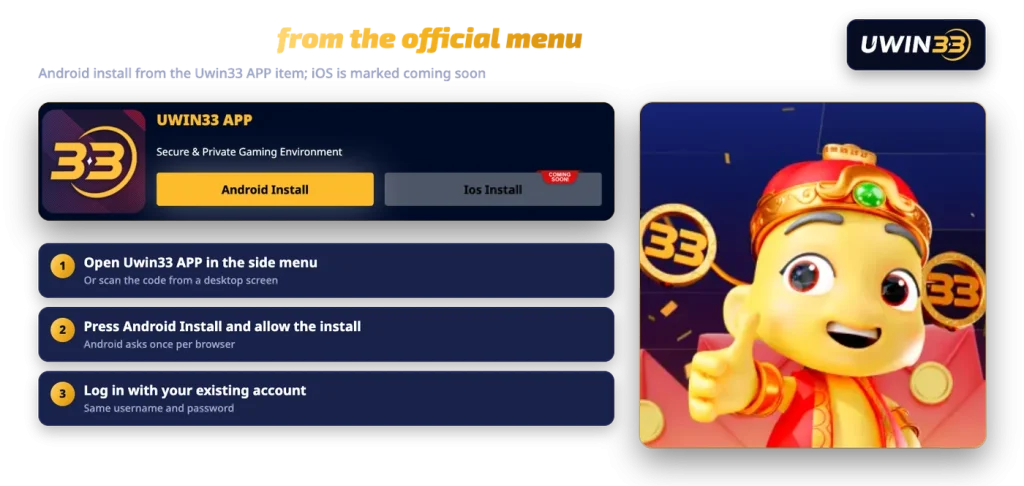
Our Android application is installed from the Uwin33 APP item in the official side menu rather than from a store listing. It signs you in with the same username and password you already use on the site, so the UWIN33 app is a second door into one account, not a second account.
On iPhone, iOS Install is currently marked COMING SOON. Until that changes, iOS players use the mobile browser, which carries the same lobby and the same cashier.
The install takes a few taps. The one step that needs your attention is the Android permission prompt, which appears for any app that does not come from the Play Store.
The Android install lives in the Uwin33 APP item of the official menu, and your current login works the moment the app opens.
An APK installed outside a store does not pass through store review, so nothing checks it on your behalf. That is normal for sideloaded Android software in general, and it is exactly why the source matters more than the file.
Our brand notice warns that unauthorised sites imitate us using similar names and domain variations. A login screen is simple to copy. If you install a file someone forwarded in a group chat, you have no way of knowing whether the screen in front of you belongs to us.
So keep to three habits. Install only from the Uwin33 APP item in the official menu. Never type your login into an app or page you reached through an unsolicited message or advert. If something looks wrong, ask Live Chat before you enter anything.
Keep in mind
Install the APK only from the Uwin33 APP item on the official site. A file passed around in chats can imitate our login screen.
Once the install has finished, you can switch the unknown-sources permission back off for that browser. Android keeps the app you already installed, and the setting is there again whenever you need it.
There is no iPhone or iPad build to install at the moment, and we will not put a date on one. iOS Install carries the COMING SOON mark, and that is the whole position.
Do not work around it. A configuration profile, an unofficial installer or a third-party store is not a route we publish, and anything claiming to be our iOS app today did not come from us. Open the site in Safari or Chrome instead and log in normally. Nothing about your account changes: the same games, the same promotions, the same deposit and withdrawal screens.
The app mirrors the platform rather than replacing it. Its screens show the promotions and exclusive events, the slot categories, and the wallet and support you already use in the browser.
That means the whole product is reachable from the phone: slots from studios such as Pragmatic Play, Playtech, JILI and FastSpin, live baccarat, roulette and game shows from Evolution, WM Casino and others, sport and e-sport betting, arcade and fishing titles, and 4D betting and results for draws including Magnum 4D, Sports Toto and Da Ma Cai. If you want the category-by-category view before installing, the full lobby is laid out on our main page.
One account runs all of it. Deposits made in the app sit in the same wallet, a bonus claimed in the browser appears in the app, and turnover already placed counts the same way wherever you placed it.
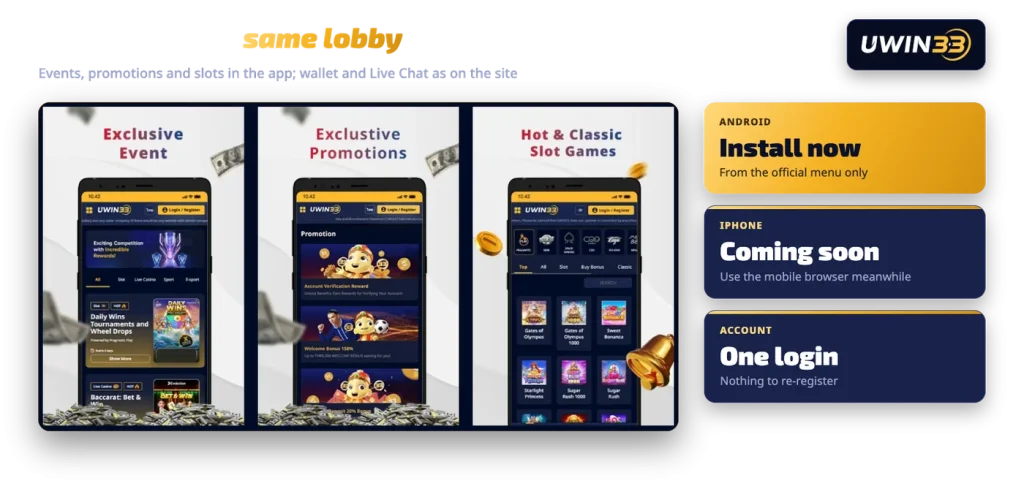
| Detail | Android app | Mobile browser |
|---|---|---|
| Availability | Android install from the official menu | Any mobile browser |
| Install needed | Yes, from the Uwin33 APP item | No |
| Account | Same account | Same account |
| Games | Same lobby | Same lobby |
| Promotions and events | Same promotions and events | Same promotions and events |
| Wallet and Live Chat | Available in the app | Available in the browser |
| iPhone | iOS Install marked coming soon | Works now |
In short, there is no app-only bonus and no browser-only restriction. Choose the app if you prefer an icon on your home screen, and stay in the browser if you would rather not install anything.
Settle three things before you tap install.
Android only, for now. iOS has no installable build, so an iPhone player should plan on using the mobile browser rather than waiting.
One source only. The official menu is the source. Anything else, however convincing the icon looks, is not ours.
Nothing to re-register. Your username, password, wallet balance, bonus progress and referral records carry straight over, because the app and the site read the same account. If you have not signed up yet, open an account first and then log in on whichever one suits you. Your full name on the account must match your bank account name, since withdrawals only go to an account in your own name, and that rule applies identically in the app.